Viblyy for Windows.
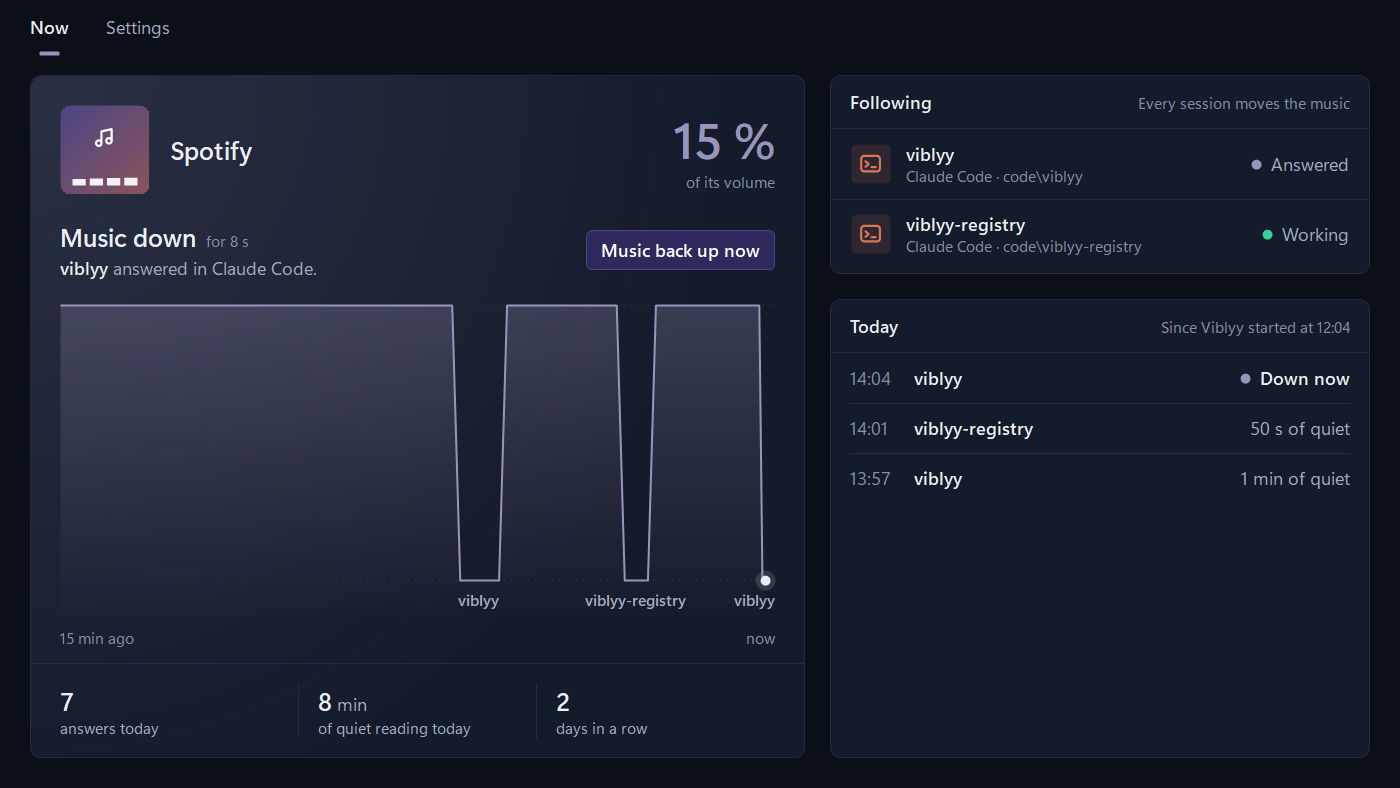
Whatever plays on your PC goes down while Claude answers, and comes back when you write again. A film or series in the Netflix app goes down too.
Free, for Windows 10 and 11. Or get it in the Microsoft Store.
Get started
- Open the file you downloaded. It installs Viblyy and opens it.
- Sign in. Your account is your email address, and nothing about your music or your conversations goes with it.
- Tick where you use Claude. Viblyy sets up the rest, and Claude Code takes one paste.
- Play something and ask. The music goes down while the answer is on screen, and comes back when you send the next message.
What it follows
- Claude Code, wherever it runs, the Claude desktop app, the ChatGPT app and Codex.
- Any program playing sound: the Spotify app, Tidal, foobar2000, VLC. Only that program goes down, to the level you choose, or it is paused; one you paused yourself is left alone, and a volume you change by hand stays where you put it.
- Music in Chrome, and AI in the browser, with the Viblyy extension: turn on “Link with Viblyy Desktop” in its settings, and the two move together.
On a Mac? There is Viblyy for Mac. What the app looks at and keeps is in the privacy policy.